| |
| |
|
Courses - QuickBooks 101 |
| Description: |
Introduction to QuickBooks |
| Running Time: |
80
minutes |
| Pre-Requisites: |
Windows 101 recommended
Windows 102 or
Windows 110 recommended |
| Versions: |
|
We use QuickBooks 2002
in this video. The lessons are valid for most
versions of QuickBooks made after 1999. Although
you will find minor cosmetic differences in the layout
of the program, the key concepts are the same. We will
be updating this tutorial for the latest version of
QuickBooks very soon. Anyone who has ordered this tutorial after
November 2007 will get a free upgrade. |
|
|
|
|
| |
| This is the perfect class for anyone
who knows nothing about QuickBooks, and needs to learn how
to set up their company fast. This is the foundation class for
QuickBooks. It is very important to make sure you take this
QuickBooks course first before moving on to any other QuickBooks
courses because we cover all of the very important terminology
and fundamentals here.
First, we'll teach you how to start QuickBooks, and how to make some
basic customizations so that QuickBooks is easier to use. We'll
start off by walking you through the EasyStep Interview to begin
building your Company File - the data file that will contain all
of your information in QuickBooks. This is where many new users have
problems. If your Company File isn't set up properly from the
start, you will have problems using QuickBooks later on.
Next, we'll gather information on your
business - name, address, tax information, etc. We'll discuss choosing a
Type of Business for your Company File. We'll teach you how to
save your Company File. We'll show you how to save your Company File
in a safe location.
We'll discuss Income and Expense
Accounts. We'll discuss multi-user access to your Company File.
We'll show you how to set up the proper type of sales tax
reporting for your business. We'll discuss selecting the proper
invoice format. We'll discuss other preferences like estimates,
progress invoicing, time tracking, and so on.
Next we'll try to help you to answer the age-old
question of whether to use Cash or Accrual-based
accounting for your business. We'll cover this topic in depth. We'll
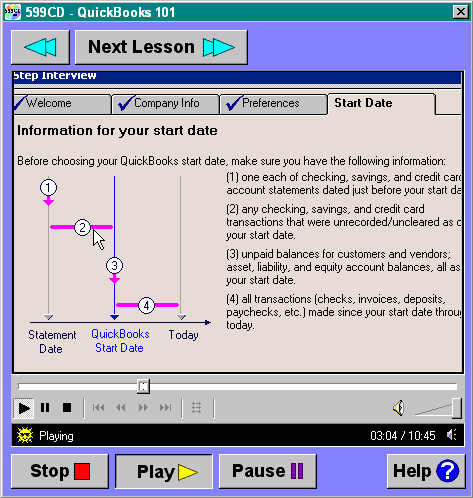
then help you to determine your Company File Start Date which is
an extremely important date that must be set correctly.
click to enlarge
Next, we'll talk about Income Accounts and
Expense Accounts. We'll show you how to add new Income Accounts
(see demo lesson). We'll talk about statement
charges. We'll show you how to set up your Items in QuickBooks.
We'll learn about Inventory Parts, Non-Inventory Parts, Service
Items, Other Charges, and so on. We'll show you how to add parts to your
inventory and set up your product lists.
We'll talk about setting up your starting
balances for your accounts. We'll add customers and their
opening balances to your Company File. We'll set up your
vendors list. We'll set up your credit card accounts, bank
accounts (checking, savings, etc.), loans, notes payable, etc. We'll
talk about asset accounts, equity accounts, and more.
Again, in this course, we cover all of the
fundamentals. We go through setting up a fictional company,
and creating all of the accounts and other information mentioned
above. Even if you have already created your Company File, and
even if you may already be working with QuickBooks, we
strongly recommend this course - if for nothing else than to
make sure that you properly understand all of the terms used in
QuickBooks. |

| |
| |
|

Try a FREE Demo Lesson |
| |
| |
|
 |
Huge Discounts Available
When you purchase multiple classes together
Huge savings up to 50% off! Order Now. |
|
| |
Student Interaction:
QuickBooks 101
|
Richard on 1/1/2007:
This is the perfect class for anyone who knows nothing about QuickBooks, and needs to learn how to set up their company fast. This is the foundation class for QuickBooks. |
Judith Koester on 4/1/2008: I have QuickBooks Pro 2008. When I look on Start, I see QuickBooks Update Agent. Is that the same as QuickBooks 2002 Delivery Agent? I hesitate to delete it, but it sounds the same.
|
Richard Rost on 4/2/2008: I don't have a copy of QuickBooks Pro 2008 yet, but from what I see on their web site, YES, the "Update Agent" is the same thing as the old "Delivery Agent." It's basically a program that sits in the background checking Intuit's web site to see if there are any updates. You don't HAVE to delete it, but of course every little program sitting in the background running does take up SOME system resources. Yes, even my little UpdateNotice software does too.
|
Raymond Hudson on 5/3/2008: do you have any lessons in quickbooks pro 2008
|
Richard Rost on 5/24/2008: Raymond, I don't have anything on QB 2008 yet. I'm going to be updating the QB lessons for 2008 later this summer.
|
Ray Hudson on 5/24/2008: Thanks, and please keep me updated
|
Jacqueline Murphy Gentile on 11/11/2008: I have 203 Quick Book in my computer what is the best one to get I know little of the quick book to it in college but it was a year ago would like to update this quick book it in my computer. Thank you for any qasistancew you are able to give me
|
Richard Rost on 11/14/2008: Jacqueline, they come out with a new version of QuickBooks almost every year. Do you HAVE to upgrade to the latest version? Absolutely not. I have clients who are still using QB 2001. If it has the features you need, stick with it. Just like people still use Microsoft Office 2000, there's no compelling need to upgrade until QuickBooks adds a feature you want.
|
Raul Pendas on 6/18/2009: I have the 2009 Version of Quick books. Do you have a course for 2009 Quick Books?
|
Richard Rost on 6/23/2009: I am preparing an updated version of the QuickBooks course for release later this year.
|
Vijay Dharia on 8/7/2009: Richard, If it is other than Sole Proprietorship(C or S Corporation or LLC)then will the Company name and Legal name be same?
|
Richard Rost on 8/7/2009: If you are a sole proprietor, then your legal name is usually either YOUR name or your DBA name - usually just your name.
If you're a corporation or LLC, then it's the corporation's name.
BUT... again, I'm not a "business" expert. I'm a computer expert. You should consult your accountant and/or attorney before making this decision. This is more of a business question.
|
Riddhi Cochran on 9/19/2009: It seems like there are quite a few things that are different in quickbooks pro 2009, do you know when you will be uploading classes directed towards quickbooks pro 2009
|
Richard Rost on 9/19/2009: I don't have an exact date, but as soon as I finish the Office 2007 courses, I'll be working on other materials, including QuickBooks.
|
Mary Fay on 8/23/2010: Is there a manual or handbook to accompany Quickbooks101 and if so how do I get it? Mary
Reply from Richard Rost:
Not at this time, sorry. We'll be writing a handbook when we update the Quickbooks course for 2011.
|
Josef on 1/17/2011: Im very interested in learning basics of QB as Im getting ready to take a job as a bookkeeper and eventualy as accountant, please tell me which courses to start with, and if its worthwhile for me to start with your lesson/s on previous QB versions and you will then update me when you have the more current versions
Reply from Richard Rost:
My current QB class is old (2002). If you want to pick up a copy of it, it does explain setting up the company file and some other basics that haven't changed much. Once my new QB2010 (or 2011) course comes out this spring, you'll get a free copy.
|
Joseph Gibson on 4/25/2011: I am hoping that you will soon put out your latest version of QuickBooks whether it is 2010 or 2011 and of course with text and video. The full course would be ideal.
Reply from Richard Rost:
Yes, this is on my to-do list. It's also on the WAITING LIST, although it doesn't have as many votes as a lot of other subjects. Still, I am hoping to update my QB course soon. The current one is from 2002, I believe.
|
|
|
| |
| |
|
You may want to read these articles from the 599CD Blog: |
|
| |
|
 |
| |
| Do you have
questions about
Word, Excel, Access, Web Design, or computers in general? Just
ask us anything you'd like.
Click here
for assistance. |
|
|
|
|
|
|
|
|
|
| |
|
|
|
|