| This class follows Excel 102.
In this class we will learn how to set up an income and expenses sheet.
We will learn tricks for working on large spreadsheets. We will learn
print and page setup options, and how to work with data across multiple
sheets. We'll begin by setting up an
Income & Expenses sheet.

You will learn how to freeze part of your
sheet, so you can scroll around in the data, yet still see the header
row and columns.

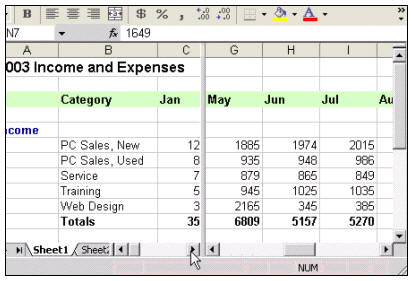
We will also learn how to split the sheet
into multiple sections - so you can work with two areas on a
particularly large sheet - at the same time!
You'll see how to put comments in your
sheets.

Next, we'll spend some time learning about Page
Setup and Print Preview.

We'll learn how to make our spreadsheets
automatically fit on any number of pages we want them to, regardless of
their size.

We'll learn all about margins...

...and creating custom headers and footers.
Plus we'll take you through most of the other Page Setup options like
print area, row and column headings, showing gridlines, and the rest.

You'll learn some more neat tricks with
comments.

We'll show you how to work with Page Break View
which will allow you to control exactly where each page begins and ends
based on the data in your sheet.

You will learn how to move or create copies of
your sheets.

We'll also show you how to give your sheet tabs
colors (yeah, it's a nice little feature).

We'll place background pictures in our sheets -
very handy for effect, or if you want to put your company logo on all of
your sheets.

So if you want to learn tricks for working on
large spreadsheets, print and page setup options, and how to work with
data across multiple sheets, this is an excellent course for you.
Again, all of our Excel courses build on the previous ones, so this is
the next step in learning Excel.
|