| This class picks up where Excel 101
leaves off and covers many more features of this powerful spreadsheet
program including AutoFill, creating a calendar, sorting
data, and the big one: creating professional-quality
charts and graphs!

click to enlarge
We begin by learning more about AutoFill, a very
powerful feature of Excel. We'll see how you can use AutoFill to create
lists of the days of the week, months of the year, number series, date
sequences, and more.

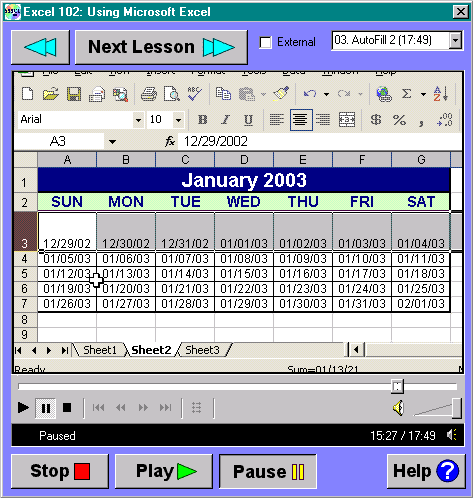
We'll create a calendar using AutoFill that
you can print out and use to plan your day. In doing so, we'll teach you
about zoom ratios, neat tricks with resizing columns, and the Format
Painter.

We will also spend time learning how to make cool
borders to give your spreadsheets that professional touch.

You will learn how to use the Format Cells
feature to gain even more control over the look and feel of your data.

Next, we'll build a sheet to track commissions
for sales reps. We'll learn a lot of techniques such as how to use the
currency style, increase and decrease decimal points, and more.

We'll learn about the quick-and-dirty AutoSum
feature.

We'll then show you several ways to sort data
in your spreadsheets. You will learn the proper way to sort data so as
not to scramble your information.

We'll teach you how to sort your data by any
column in a range of cells.

You will also learn how to sort based on
multiple columns (last name, then first name, for example).

After sorting, we'll spend a great deal of time
building charts. We'll build a simple 2D column chart, teach
you how to manipulate it, change colors, axes labels, and other
features.

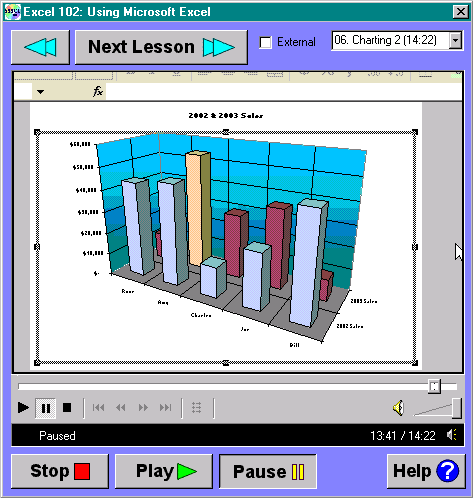
We'll then make a more complex 3D column chart.
We'll go through more of the charting options, such as gridlines, axes
labels, data labels, and so on.

We'll teach you how to create fill effects,
gradients, textures, and patterns in your charts.

We'll show you how to
rotate your 3D charts, and adjust elevation and perspective.

We spend a lot of time learning how to
build quality charts!

click to enlarge
After building a 3D column chart, we'll take you
through creating a 3D pie chart. We'll show you how to add data
labels, leader lines, and other features. You'll learn how to rotate
your pie chart, separate the pie slices, and make other advanced
adjustments.

This is a great course for someone who knows a
little Excel, but wants to learn more... AutoFill is a
very powerful timesaver. Knowing how to sort data properly is
essential. Every business user should know how to create effective
charts. |