| HELP |
Sometimes when you download a file, even though your
web browser says it was downloaded successfully, the file might not have
downloaded 100% perfectly. If it won't install, try downloading
your file again. After you've downloaded it,
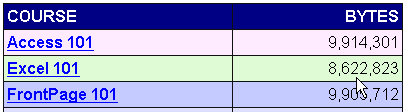
you can check the size of the file to make sure it downloaded
correctly. If you look on our download's page, we list the exact
file sizes of all of our lesson files.
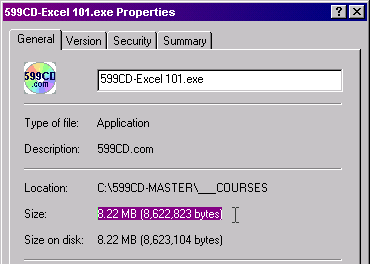
When you finish your download, right-click on
your downloaded lesson file, select Properties, click on the
General tab, and look for the SIZE of the file (NOT
the Size On Disk). This number should match what our web site says
EXACTLY, otherwise your file did not download 100% correctly.
Download it again.
|