|
This
course is for the
novice
user who has little or no experience with
Microsoft Excel. We will begin by learning about the parts of the Excel
interface, including the Title Bar, window control buttons,
File menu, and more.
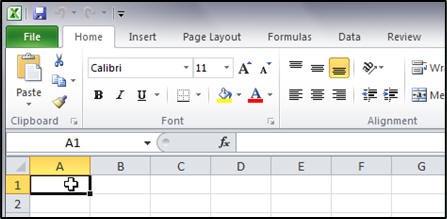
You will learn about the new
Ribbon, the different tabs, groups, command, and dialog menus.
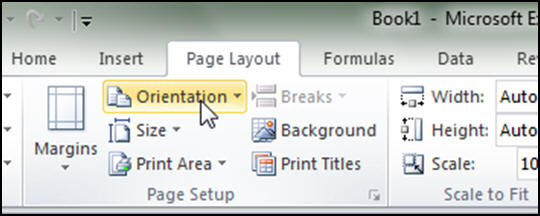
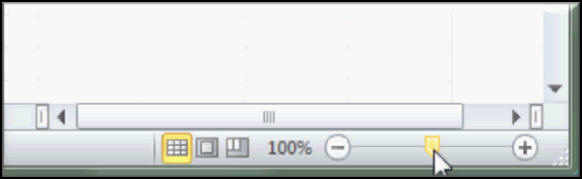
Next you will learn about the
Quick Access Toolbar, the status bar, zoom controls, and scroll
bars.
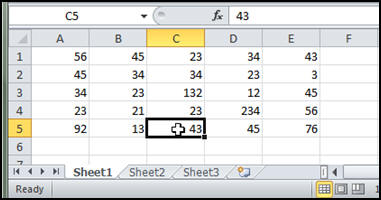
We will next learn about the
Formula Bar, the different parts of a spreadsheet including
rows, columns, and cells. You'll learn how to use the mouse pointer with
respect to Excel, and learn about the different Sheet Tabs.

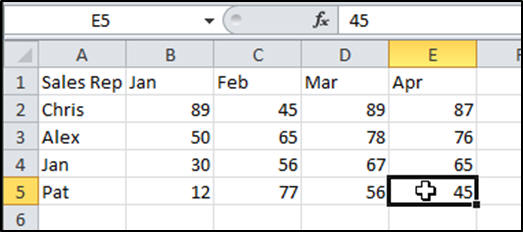
You'll learn how to properly
input data into an Excel spreadsheet. We'll create a sales
summary sheet in class with different sales reps and their sales figures
by month. You'll see how to work with both the mouse and keyboard.
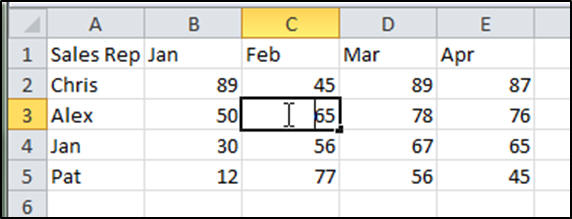
We'll learn how to edit data
in our sheet. You'll learn how to replace data in the cells, edit data
using the Formula Bar, and use Edit Mode directly in a cell. You'll also
learn about Undo and Redo.
You will learn how to format your
spreadsheet to make it look more professional. You'll learn
about cell alignment, ranges, bold, italics, underline, and more.
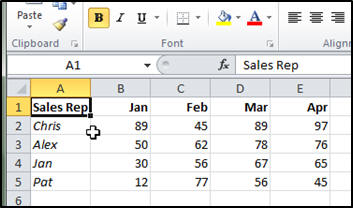
Next we'll learn more formatting
techniques. You'll change the font and font size. You'll learn
how to resize columns and rows, change color, and more.

You will learn how to perform
basic math calculations in Excel, and how formulas work. You'll
learn about the basic math operators (add, subtract, multiply, divide,
exponent) and how to use constants in your formulas.
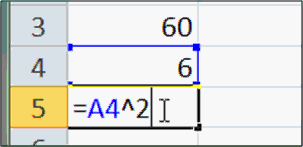
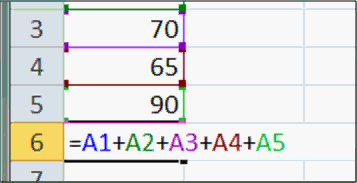
We'll learn how to add multiple cells,
use the mouse to build our formulas, work with the status bar, calculate
an average, and we'll learn about the all-important Order of
Operations.
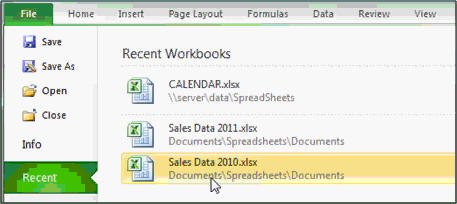
Finally, you'll learn how to
save, load, and print your worksheets. You'll also learn about
pinning your files to the Recent Documents menu, and previewing your
sheet before you print it.
Again, this is the perfect class for
anyone who is new to Microsoft Excel. If you have little or
no experience with spreadsheets, or you just want to get familiar
with how Excel works, this class is for you. You should have some
basic knowledge of Windows beforehand, and a little bit of Microsoft
Word helps (so you're familiar with formatting text), but we'll teach you everything
you need to know to use Excel to make simple spreadsheets.
Of
course, if you have any questions about whether or not this class is
for you, please contact me.
Complete Outline - Excel
Beginner Level 1
01. Excel Interface 1 (6:22)
Starting Excel
The Ribbon Changes with Window Size
Title Bar
Maximize, Minimize, Restore Down
Close Button
File Tab - Backstage View
02. Excel Interface 2 (7:06)
The Ribbon
Ribbon Tabs, Groups, Buttons
Help Popup Menus for Each Command
Command Buttons
Drop-Down Menus
Command Button Groups
Galleries
Dialog Box Launcher Buttons
03. Excel Interface 3 (5:30)
Quick Access Toolbar
Adding or Removing a Command from QAT
Status Bar
Views Buttons
Zoom Controls
Scroll Bars
04. Excel Interface 4 (5:55)
Formula Bar
What is a Spreadsheet
Columns, Rows, Cells
Name Box
Mouse Pointer
Sheet Tabs
05. Entering Data (5:19)
Creating a sales summary sheet
Entering text in Excel
Typing data into a cell
Select a Cell with Mouse
Select a Cell with Keyboard
Move with ENTER, TAB
Move with Arrow Keys
Entering Data
06. Editing Data (7:37)
Editing data in a cell
Four methods for editing data
Overtyping your data
Replacing data in your cells
Editing data using the Formula Bar
Editing a cell by double-clicking
Backspace vs. Delete Keys
Edit Mode with F2
Deleting data in a cell
Using UNDO in Excel
Using REDO in Excel |
07. Formatting 1 (6:14)
Home, Alignment
Formatting your text
Horizontal cell alignment
Align Right, Left, Center
Format multiple cells at once
A Cell Range defined
Cell Range Notation (A1:B5)
Selecting cell rangess
Bold, Italics, Underline
08. Formatting 2 (8:40)
Changing the Font
Live Preview
Change Font Size Dropdown
Type in a Font Size Manually
Increase Font Size
Decrease Font Size
Resizing Columns
Changing Column Width
Resize Column with Double-Click
Resizing Rows
Background Color / Fill Color
Foreground Color / Font Color
09. Basic Math 1 (7:48)
Moving to a different sheet tab
Using a "scratch" sheet
Adding two cells together
How Formula Work in Excel
Auto Recalculation of Formula
See Formula in Formula Bar
See Result on the Sheet
Basic math operators
Addition
Subtraction
Multiplication
Division
Exponentiation
Using Constants
Clearing a range of cells
Selecting an Entire Column
10. Basic Math 2 (5:11)
Adding Multiple Cells
Select to See Summary in Status Bar
Click to Add Cell to Formula
Order of Operations
Using parentheses in math operations
Average a Group of Cells
11. Save, Load, Print (8:24)
Saving Your Workbook File
Save As a Different File
Open Recent Documents
Open Any Document
Pinning Documents to the List
Create a New Blank Workbook
Print Preview
Print Your Spreadsheet
12. Review (4:57) |
|
| Keywords:
microsoft excel tutorial, microsoft excel tutorial, microsoft office excel tutorial, microsoft excel training, ribbon, interface, formula, sheet tabs, sales summary, entering data, editing data, formatting, cell, range, column, row, align, math, addition, subtraction, multiplication, division, constants, adding, save, load, print, workbook, worksheet |