|
This
course is for the
novice
user who has little or no experience with
Microsoft Excel except for my
Basic Level 1 and
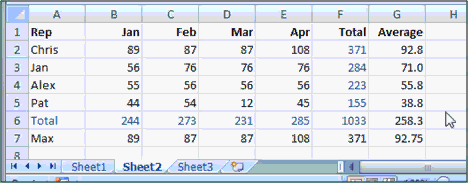
Level 2 courses. We will begin by learning about Functions,
what they are, and how to use them in Excel.
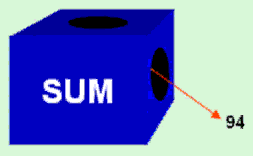
We will
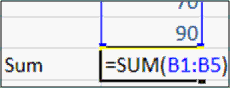
learn about the SUM function and how to use it to add
up a whole column of cells.
You will learn several other
popular functions as well, including Average, Count, Max, and
Min. You'll also learn how to move a whole block of cells.

You will get lots of practice using these
different functions, and learning lots of tips, tricks, and
shortcuts for working with functions in Excel.
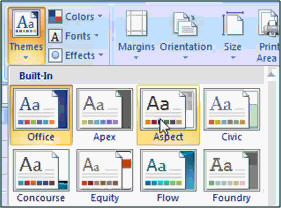
Next we'll learn about Styles &
Themes and how we can use them to make our Excel spreadsheets
look professional and uniform.
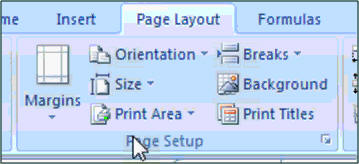
You'll learn about Page Layout
in Excel, including page layout view, margins, orientation, page size,
print area, page breaks, background images, gridlines, and headings.
We'll see how to insert
Illustrations into our spreadsheets. We'll start learning how
to insert a picture or a piece of clip art. We'll learn how to format
that image, change brightness and contrast, and more.
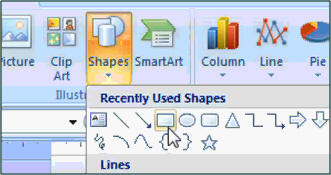
Then we'll learn how to insert
shapes, format those shapes, add text to those shapes, draw
lines with arrowheads, and then work with WordArt styles.
Finally, we'll learn all about
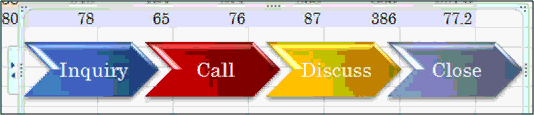
SmartArt which is a great new feature in Office 2007 which lets
you create cool, artistic diagrams and flowcharts.
Again, this is the perfect class for
anyone who is new to Microsoft Excel 2007 and has finished my
Basic Level 1
and
Level 2 courses. If you have little or no experience
with spreadsheets, or you just want to get familiar with how Excel 2007
works, this class is for you.
Of
course, if you have any questions about whether or not this class is
for you, please contact me.

Complete Outline - Excel 2007
Basic 3
1. Functions 1 (6:39)
What is a Function
The SUM Function
Benefits of Functions
2. Functions 2 (4:36)
AVERAGE Function
COUNT
MAX, MIN
Move a Block of Cells
3. Functions 3 (6:56)
Practice with Functions
The Key Cell Format Trick
Insert New Month of Sales
AutoFill Multiple Cells
4. Styles & Themes (7:53)
Selecting Cell Styles
What's a #DIV/0! Error
Using Styles to Format
Changing Themes
5. Page Layout (7:37)
Margins
View, Page Layout
Print Preview
Orientation
Page Size
Set Print Area
Clear Print Area
Page Breaks
Background
Gridlines: View, Print
Headings: View, Print |
6. Illustrations 1 (9:07)
Insert a Picture
Move and Resize a Picture
Rotate Picture
Picture Tools, Format Tab
Brightness, Contrast
Reset Picture
Compress Pictures
Delete a Picture
7. Illustrations 2 (7:37)
Insert Shapes
Rectangle
Drawing Tools, Format Tab
Shape Styles
Themes Effect Shape Styles
Shape Outline
Shape Effects
Add Text
Format Text
Quick Mini Toolbar Popup
WordArt Styles
Inserting an Arrow
8. Illustrations 3 (5:50)
Insert SmartArt
Basic Process
Format SmartArt Options
Insert WordArt
WordArt Options |
|