599CD.com   Full View


What's New?  |  Tutorials  |  Tips  |  Blog  |  Forums  |  Help  |  Customer Logon  |  Order


Courses - Microsoft Access 201
Description: Intermediate Microsoft Access 1
Running Time: 68 minutes
Pre-Requisites: Access 104 very strongly recommended
Versions:
We use Access XP in this course, but the lessons are valid for all versions of Access from 95 to 2003. There are cosmetic changes in Access 2007 and 2010.

*** Order before 2/7/2012 to get a FREE upgrade to our Access 2010 version! ***

 
Microsoft Access 201
Intermediate Access 1

Creating relational databases, relating customer and contacts table, relational combo boxes, much more. 68 Minutes.
 

AC201 Major Topics

  • Relational Database Concepts
  • Queries with Multiple Tables
  • Customer Combo Box
  • Global Relationships

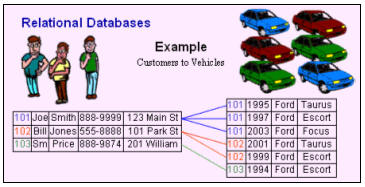
This is the first of the Intermediate series of Access courses. We will begin by learning about relational database concepts - and why relational databases are more powerful than traditional "flat file" databases.
 

Next, we'll revisit the contacts table we constructed in the last class - this time, we'll build it properly and make it relational.


We'll then construct a query to relate the two tables together (customers and contacts).


We'll update our contact report to deal with the new changes in our database.


Next we'll build a contact form to display and edit this data. On this contact form, we'll create a combo box to allow us to select the customer from our list of customers. This way we don't have to know the customer's ID - we just pick them from the list.


We'll add the button for the new contact form onto our Main Menu.


Next, we'll take a look at Global Relationships between tables, why they're important, and why we're not going to use them... yet.


This is the big one! Don't miss this course. We cover a lot of very key concepts in this course - especially our discussion on relational database concepts, and learning how to create a combo box to look up a value from a different table. These are very important concepts, and we will build in them on most of our future Access courses.


Access 201 Outline
 
1. Introduction

2. Relational Database (RDB) Concepts
Why are RDBs important
One-to-one relationships
One-to-many relationships
Many-to-one relationships
Many-to-many relationships
Normalization

3. Relational Contacts Table
Making our contact management relational
Inserting a CustomerID in ContactT
Removing duplicated fields
What is a Foreign Key?

4. Contact Query
Manually creating query relationships
Deleting relationships
String concatenation
Dealing with duplicated fields
Correcting our contact report
Manual formatting of the phone field

5. Contact Form
Constructing a contact form
Using a combo box to pick the customer
Manually editing combo box properties

6. Miscellaneous
Add contact form button to main menu
Global relationships between tables
Creating and deleting links between fields

7. Review


Try a FREE Demo Lesson


You may want to read these articles from the 599CD Blog:


Need Help
 
Do you have questions about Word, Excel, Access, Web Design, or computers in general? Just ask us anything you'd like. Click here for assistance.
 

Get Free Tips & Tricks
 

Join our mailing list today and get information on our Free Tips & Tricks Newsletter including free video tutorials, eBooks, live seminars, and more.

Email:
Name:
Type in the word to the left:
 
Your email will be kept 100% safe and will never be given to 3rd parties.

Subscribe to our RSS FeedWhat's This?

Facebook  Twitter  RSS  hide  help

599CD Home   |   Learn More   |   What's New?   |   Contact Us   |   Free Demo   |   FAQs   |   Order Now   |   Affiliate Program   |   TechHelp   |   MYOLP   |   Jobs   |   Downloads   |   Handbooks  (Text)   |    Mailing List   |   Lost Passwords   |   Referral Program   |   Online Poll   |   Corporate, Educational, Government, Non-Profit Sales   |   Message Forums   |   Testimonials   |   Privacy Policy   |   Free Gift CDs   |   Consulting Services   |   Waiting List   |   RSS Feed   |   Tips & Tricks


What's New  |  Home  |  Courses  |  Demo  |  Learn More  |  Contact  |  Order