
|

Take joy from profit, and profit from joy. -55th Rule of Acquisition |
|
||||
|
|||||||||||||||||||||||||||||||||||||||||
|
Make Sense out of your Data! In this series of Excel courses (220-224) we will study Data Analysis, the science (and art) of getting the most out of your data. If you've got lots of data, and need to learn how to get information out of it and make sense of it, these are the perfect classes for you.
The second class, Excel 221, covers filtering your data using AutoFilter, creating custom AutoFilters, advanced filters, custom views, the SubTotal function and automatic subtotals. We'll run through a sample side project showing you how to send late notices to customers - filtering out those records we don't need to mail to. It's a good practical example of how filtering assists with data analysis.
Next, in Excel 222, you will learn about Styles, Grouping & Outlining data, the AutoOutline feature, Manual Grouping, lots of tips and tricks, and Data Validation (how to make sure people are typing in the kind of data they're supposed to be typing in). Excel 223 and 224 teach you all about
PivotT Excel 223 covers a detailed explanation of what PivotTables are, some examples of them, and why you want to use them. Then, we'll show you how to build one, how to manipulate it, edit it, change field settings, "pivot" your data, setup inner and outer fields, refresh your data, filter your results, and much more. We'll look at several examples, including a sales report, employee database, and more. In Excel 224, we'll continue learning about PivotTables (yes, they're complicated, but very rewarding!) You'll learn how to drill down to detail, group dates and numeric data together, setup subtotals, format your tables, insert calculated fields, generate running totals, and much more. We'll spend a good 15 minutes towards the end of class running through a great example of a human resources sheet (employee hours and pay rates) that uses all of the skills we've learned recently: IF() function, VLOOKUP, and a PivotTable. This is a GREAT class. You can order just the individual classes in this series, or get the entire Data Analysis Series Combo right now and save almost $30 off of buying the courses separately! See below for more information! |
|||||||||||||||||||||||||||||||||||||||||
|
|||||||||||||||||||||||||||||||||||||||||
|
|||||||||||||||||||||||||||||||||||||||||
|
And that's just the first class! Of course, as you know, this brief outline only covers the major topics. If you've taken any of my courses in the past, you know that each lesson is jam-packed with tips and tricks (and commentary - some good, some... just boring, but hey! I try!) |
|||||||||||||||||||||||||||||||||||||||||
|
|||||||||||||||||||||||||||||||||||||||||
|
|
|||||||||||||||||||||||||||||||||||||||||
|
|||||||||||||||||||||||||||||||||||||||||
Also available with these courses
is a printable Course Handbook to go along with our
videos. The Handbook is a great supplement to the videos, and it makes
following along with the course much easier. For more information on our new
Handbooks, click here.
|
|||||||||||||||||||||||||||||||||||||||||
|
NOTE: We have
handbooks available for all previous Excel classes as well (101
through 202). If you missed one of them and want to order it,
contact customer service
and we can send you instructions.
|
|||||||||||||||||||||||||||||||||||||||||
|
|||||||||||||||||||||||||||||||||||||||||
|
Order the
Data Analysis Combo |
|||||||||||||||||||||||||||||||||||||||||
|
|
|||||||||||||||||||||||||||||||||||||||||
|
|
|||||||||||||||||||||||||||||||||||||||||
|
Learn Excel Today! |
|||||||||||||||||||||||||||||||||||||||||
|
We've got lots of options for you to learn Excel. If you haven't
purchased any of our courses before, you can start with just Excel 101
to get a feel for how our tutorials work. Or, you can purchase our other
courses - Excel 220 or 221 by themselves, or as part of a
combo. We have the Data Analysis Combo by itself, and we also have
the Excel Complete Combo which includes all of our courses. And, of
course, we have Handbooks available for all of our Excel courses. If you have any questions about which package is right for you, please feel free to contact customer service at any time! |
|||||||||||||||||||||||||||||||||||||||||
|
|||||||||||||||||||||||||||||||||||||||||
|
|
|||||||||||||||||||||||||||||||||||||||||
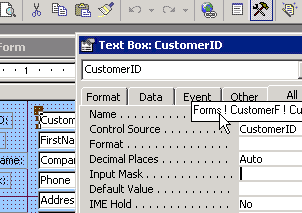
 The first
class, Excel 220, starts off teaching you about Data Lists. We will learn how to create
them, edit them, and format them. We will also work with Data Entry
Forms. We will learn advanced sorting techniques for data
lists. We will also learn how to customize our toolbars. This is the
perfect introduction to Data Analysis using Microsoft Excel.
The first
class, Excel 220, starts off teaching you about Data Lists. We will learn how to create
them, edit them, and format them. We will also work with Data Entry
Forms. We will learn advanced sorting techniques for data
lists. We will also learn how to customize our toolbars. This is the
perfect introduction to Data Analysis using Microsoft Excel. ables,
which are an exciting tool used to make sense out of a mountain of data. You can
use a PivotTable to take thousands of rows of records and condense them down
into a nice, small, easy-to-read, 3-dimensional report.
ables,
which are an exciting tool used to make sense out of a mountain of data. You can
use a PivotTable to take thousands of rows of records and condense them down
into a nice, small, easy-to-read, 3-dimensional report.