| |
|
|
|
 |
You Can Learn
Microsoft Access
With our simple, step-by-step video lessons |
| |
|
|
If you are looking to learn
Microsoft Access
You Have Come
To the Right Place!
Our step-by-step video lessons will teach you
how
to master Access, so that you can create professional-quality
databases.
|
 |
| |
|
| |
|
|
 Why
599CD?
Why
599CD?
 |
|
|
- Learn at your own pace
- Learn from home, or the office
- Step-by-step video tutorials
- Access support forum available
- Real life examples
- Try our lessons for
FREE online
- Full courses only $5.99
|
| |
|
| |
|
|
Take a
FREE
Test Drive! |
|
Try our Access
lessons absolutely free.
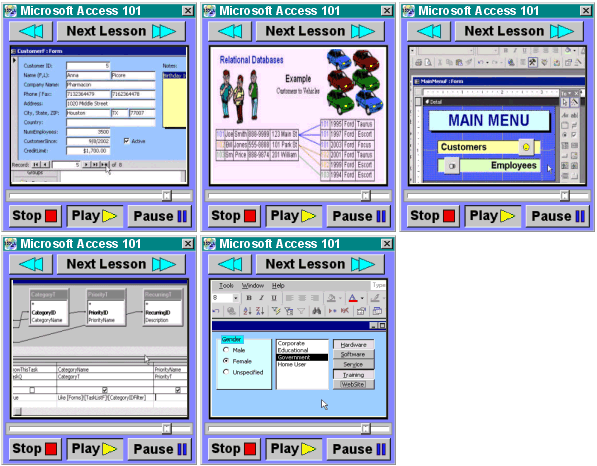
We have over one hour of free lessons that you can
watch right here on our Web site. There's absolutely no cost,
and no obligation. We just hope that you'll like our lessons,
and the free demo will help you make up your mind as to whether or
not to try a full course. |
 |
|
| |

CLICK HERE
to try a FREE lesson
 You
Will Learn...
You
Will Learn...
 In
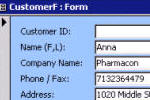
Microsoft Access 101, we
begin by learning how to properly plan a database. We'll build a
customer table, query, and form. You'll learn proper form design
techniques. We'll make mailing labels for our customers. In
Microsoft Access 101, we
begin by learning how to properly plan a database. We'll build a
customer table, query, and form. You'll learn proper form design
techniques. We'll make mailing labels for our customers. |
|
| |
|
|
In
Microsoft Access 102, we will start getting into how
tables work. We'll learn about field properties, searching, sorting,
filtering and more. You will learn more query techniques, combo
boxes, report design, more. |
|
| |
|
|
In
Microsoft Access 103,
You will build a Main Menu for your database. You will learn
about command buttons, form properties, continuous forms, and more.
We'll build a Customer List form, and track lead sources. |
|
| |
|
|
In
Microsoft Access 104,
we will create a contact history table to begin building a full
contact management system. You will learn string
concatenation, and more form and report techniques. |
|
| |
|
|
CLICK HERE
to try a FREE
lesson
|
| |
|
|
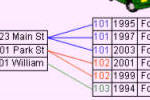
In
Microsoft Access 201,
you will learn all about Relational Database concepts. We will
relate our customer and contact tables together, create relational combo
boxes, and more. This is definitely a course you have to watch! |
|
| |
|
|
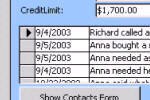
In
Microsoft Access 202,
we will spend more time with command buttons. You'll learn how to set
values across two forms, sort your combo boxes, and more. We'll
also learn how forms and subforms work together. A little SQL
too. |
|
| |
|
|
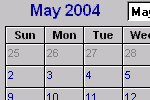
In
Microsoft Access 203,
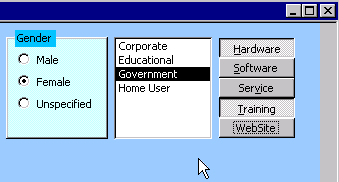
we cover a lot of different form controls: option groups, list boxes,
toggle buttons, ActiveX controls - putting a calendar on your
form, tab controls, bound v. unbound object frames, and more! |
|
| |
|
|
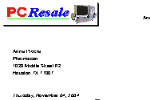
In
Microsoft Access 204,
you will make your contact management system capable of printing
letters as well. We'll also learn about Macros, program them
into Events, and learn how to refresh the records in our forms. |
|
| |
|
|
CLICK HERE
to try a FREE
lesson
|
| |
|
|
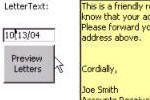
In
Microsoft Access 205,
we continue developing our letter writer. We'll make a
mass-mailing system so we can send collection letters, sales
letters, post cards, and other correspondence to groups of customers. |
|
| |
|
|
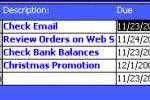
In
Microsoft Access 206, we begin building
a Task Management System. You will learn how to synchronize
records on two different forms, how to set values using command
buttons, and several different new Macro commands. |
|
| |
|
|
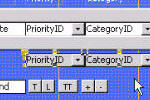
In
Microsoft Access 207, we continue with
the Task Management System. You will learn about conditions in
Macros (IF/THEN) and the IIF function. You will also learn how to
filter your own results using a form/query combination. |
|
| |
|
|
| |
|
| In our
Advanced classes, we cover topics such as VBA programming,
ActiveX controls, integration with Word, Excel, Outlook, Order Entry, Accounting, and much more!
We have a lot of new courses
coming out soon, so be sure to get on our
Mailing List. We also have LIVE
and pre-recorded online seminars available covering Advanced Access. |
 |
| |
|
No Matter What Your Skill Level...
You Will Learn Something
From Our Courses!
CLICK HERE
to try a FREE
lesson
 There is simply no better place
to learn Microsoft Access.
With 599CD, you are learning from one of the best! Our instructor,
Richard Rost, has been developing Microsoft Access databases since version
1.0 came out in the early 1990s. He was a self-employed contract Access
developer for more than a decade. Richard taught Microsoft Access in the
classroom starting in 1994, and has developed all of his own
training materials. Our 599CD Microsoft Access tutorials are the culmination of
years of Richard's practical experience as a developer, and as a teacher.
You will learn how to build databases the way they should be. You will
learn practical, real-life examples taught by a developer - not just some
part-time computer instructor following an outline or some off-the-shelf book.
These are real database examples for real projects. You will build a
company database from the ground up. You will track your customers, contacts,
tasks, correspondence, orders, inventory, accounting, and much more.
You will be learning how to build databases almost as if you were sitting
down, one-on-one with Richard. Simply watch him do the example on your
screen, then pause the video and do it yourself. Didn't quite get it? Just
rewind the video and watch it again. We even have full-color printed
manuals available that you can use to follow along with - or refer back to later
after class. It's almost like being in a real class - but you can go at
your own pace. And, if you have questions, you can always post them in
our Microsoft Access Developer Forum, and
either Richard or one of our other instructors - or maybe even our other
students - will try to help you.
CLICK HERE
to try a FREE
lesson
Frustrated
With Access?
|
Are you sick and tired
of...
- Reading through thousand-page manuals?
- Searching through endless help files?
- Hunting for answers on the Web?
- Unhappy with the answers you are able to
find?
- Computer geeks talking down to you?
- Waiting for tech support to call you back?
- Not being able to get your projects completed
on time?
|
 |
We can help!
It's no surprise... you will get more done and you will feel
much better about your work once you know how to properly use Microsoft
Access. Take the time to learn! Think of it this way: if our courses can
save you just ten minutes a day of not fumbling through tech manuals or
online help systems, we've just saved you an entire week of work by
the end of the year.
Now ask yourself if a week of your life is worth the
$5.99 cost of Microsoft Access 101?
CLICK HERE
to try a FREE
lesson
Don't Just Take
Our Word For It...
| |
|
Don't believe us... of course
we're going to tell you that our product is the best on the
market to learn Microsoft Access
with.
We have nearly
twenty-thousand customers who have purchased our products - over
97% of them have purchased more than one course. Listen to
what they have to say about us... |
 |
|
| |
|
"I can't believe
how easy it was to learn Access. Richard is truly gifted.
He made difficult concepts, such as relational tables, seem so
common-sense. Thanks 599CD!"
- Ellen George, Rochester NY |
|
|
|
|
"You wouldn't
believe that Richard would price his tutorials at only
$5.99, but it's true. You really do get an honest
hour of training for six bucks! The best value on the
Web."
- Bob Sarsas, Phoeniz AZ |
|
|
|
|
"Ordering from
599CD was easy. I requested the title I wanted, and got it
immediately." - Sam Ellis, Chicago IL |
|
|
|
|
"I can't believe
how easy it was to learn Microsoft Excel. I was
making my own 3D charts in less than an hour!"
- Jenny
Swiatowski, Buffalo NY |
|
|
|
|
"Amazing! I
was able to build my own Web site, and I just got my first
computer a month ago."
- Benny Smith, Omar CA |
|
|
|
|
"599CD has
taught me that good value can be found in an inexpensive
product. This is one of the best deals available anywhere on the
Web." - Terry Michalek, London UK |
|
|
|
CLICK HERE
to try a FREE
lesson
How does it work?
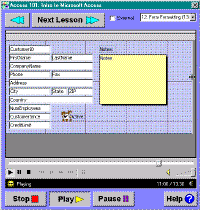
Our courses are all on-screen lessons with audio and
full-motion video. You watch the lesson play in a small window right on
your computer screen, and you follow along with the examples. You can stop,
pause, rewind, and jump to any spot in the course, just like watching a DVD
movie. You watch the instructor perform a simple, step-by-step procedure,
and then you follow along at your own pace.
You can try one of our lessons free of charge,
so you can see if this method of learning is right for you. It's just like
sitting in a class, learning one-on-one with the instructor, only you go at
your own pace! To sign up for your free lesson, just click on
the link below.
CLICK HERE
to try a FREE
lesson
|
A Personal Note... |
| Hello. This is Richard Rost,
President of 599CD.com. I just want to take a moment to tell you that
of all the computer courses I have taught in the past, Microsoft
Access is my favorite. I enjoy working with Access, and I enjoy
teaching Access. It's a passion of mine, and I hope that my passion
comes through in my videos. I have helped a lot of people learn
Access over the last ten years - both in my classes, and here on the
Web. I love hearing stories about how people have used by
lessons to build their databases and are now running their
businesses using techniques I taught them. It's a great feeling to
know I've helped so many people.
I've tried to record my videos almost as if I'm sitting down
with you one-on-one. There's a lot of good, solid
material in each of my classes. There are plenty of tips and tricks,
and yes, a little humor to make the class move along.
After you've watched the videos, and you've tried the
examples, I encourage you to come to the Web site and participate
in our Microsoft Access Forum, where we have all kinds of
people (students like you) discussing Access. I pop in there myself a
few times a week to answer questions. We also have regular live
chat sessions and Q&A.
599CD is about more than just selling you a CD. We're
here to help and support you as you learn how to build Access
databases the right way.
Access is really easy to learn - if you have the right teacher.
Give my Access 101 course a try for yourself. If, after you've
taken Access 101, you're not 100% satisfied with the CD, just send it
back and I will refund your entire purchase price. Your
satisfaction is guaranteed.
I know, however, that you're going to love it. To be honest, I
don't send out a lot of refund checks. People almost always come back
to order Access 102. I know you will too!

- Richard Rost, President & CEO
|
CLICK HERE
to try a FREE
lesson
Try a
Free Lesson!
- Learn at your own pace
- Learn from home, or the office
- Step-by-step video tutorials
- Access support forum available
- Real life examples
- Try our lessons for
FREE online
- Full courses only $5.99
- No scams or gimmicks
- Thousands of happy customers
- Learn from a REAL expert!
|
|
What do you possibly have to lose? Sign up now for a
free lesson. There's no obligation, and no cost to you. Just watch
one of our free demo lessons online, and if you like it, you can come
back and buy one of our full courses at your leisure. If you don't like it,
that's OK. We thank you for trying. We're sure, however, that you're going
to love our lessons. Tens of thousands of people have learned how to build
databases in Access with our lessons. We'd like to add you to our list of
happy customers. Try a free lesson right now!
CLICK HERE
to try a FREE
lesson
 |
Your
Satisfaction is 100% Guaranteed
Remember, it costs you absolutely nothing to try one of our
free online demo lessons right now. However, if and when you do decide
to purchase one of our full courses, your satisfaction is absolutely,
100% guaranteed. If you purchase one of our courses on CD-ROM for
$5.99, and you're not absolutely happy with it, just send
it back and I will refund 100% of your purchase price.
You have nothing to lose. Sign up
for a free lesson right now. |
CLICK HERE
to try a FREE
lesson
|
|